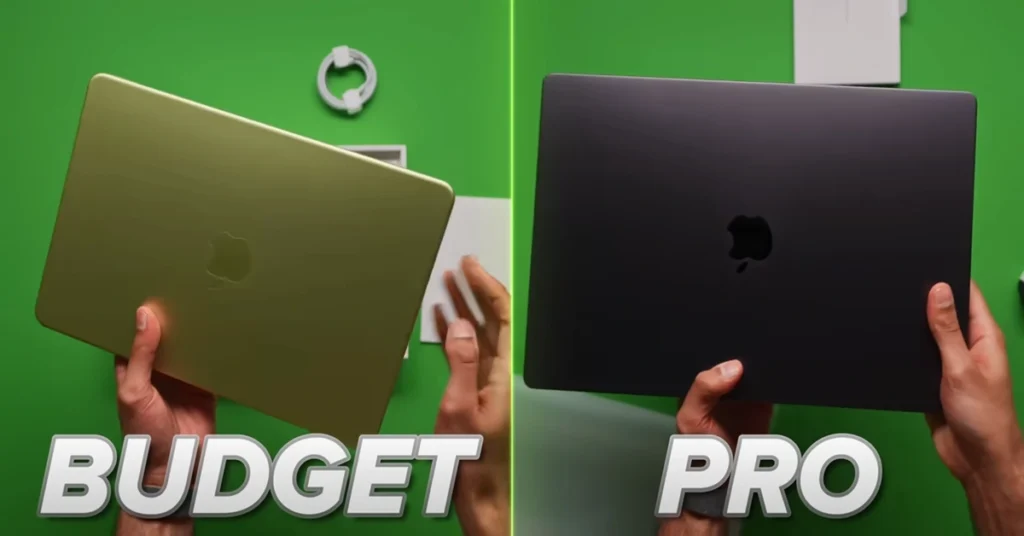
Apple’s most affordable MacBook starts at just $599 — or $499 with a student discount. After a full week of real-world testing, it’s clear this is not just a budget laptop. It may be Apple’s most strategically important product in over a decade. Here is everything you need to know.
Why the MacBook Neo Is a Game-Changer for Budget Laptop Buyers
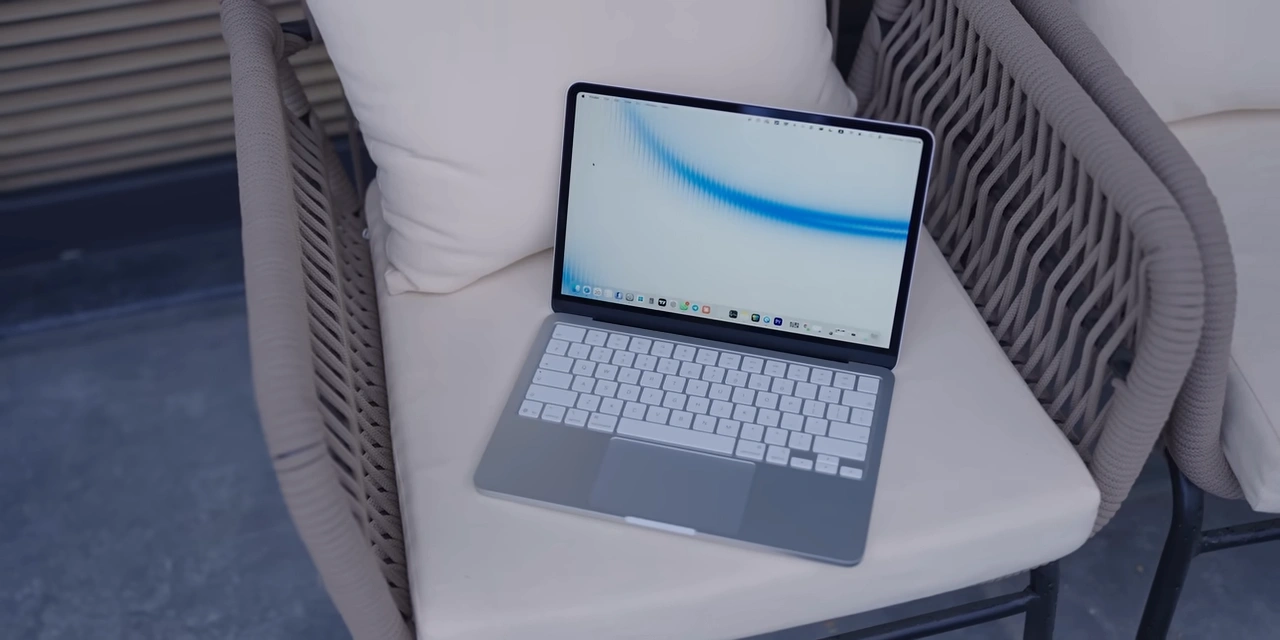
For years, the cheapest way to own a MacBook was to spend around $1,000 on a MacBook Air. With the 2026 M5 Air now starting at $1,100, the price gap between Apple and affordable Windows or Chromebook alternatives has never felt wider — until now.
The MacBook Neo changes everything. Apple packed the A18 Pro chip from the iPhone 16 Pro into a full-aluminum laptop body, and the result is a machine that punches well above its price tag. Nothing inside is revolutionary on its own, but the combination of premium build quality, genuine performance, and an aggressive price point is about to make the entire Windows and Chromebook industry nervous.
MacBook Neo Full Specifications at a Glance
Price From $599 ($499 with student discount)
Chip Apple A18 Pro (iPhone 16 Pro)
RAM 8GB unified memory
Display 13-inch LCD, ~1440p, 60Hz, 500 nits
Storage 256GB (512GB option available)
Ports 2x USB-C (USB 3 + USB 2), headphone jack
Webcam 1080p FaceTime HD
Charger 20W USB-C (included)
Build Aluminum chassis, available in Citrus, Blush, Indigo
Keyboard backlight No (Touch ID included with 512GB upgrade)
MacBook Neo Performance: How Does the A18 Pro Chip Compare to M1?

The A18 Pro is genuinely capable. Benchmark results show the MacBook Neo scores over 8,500 in Geek bench multi-core — right in line with the M1 chip from the original MacBook Air. OpenCL and Metal GPU benchmarks also land around M1 levels, while single-core performance is even stronger, closer to the M3.
In everyday use, this translates to a snappy and responsive experience. Web browsing, spreadsheets, emails, music streaming, word processing — all handled effortlessly, even with multiple apps running simultaneously. The A18 Pro’s strong single-core performance means apps open quickly and the interface never feels sluggish.
One important note: there is no performance mode as found on M-series MacBooks. You can enable a low power mode, but that is your only energy option. For most users, this will never matter.
RAM and Storage: Is 8GB Enough in 2026?
Eight gigabytes of unified memory is not a lot, and Apple knows it. However, thanks to fast swap memory — where the MacBook Neo uses its SSD (reading at around 1,500MB/s) as extended RAM — the laptop handles multitasking far better than the spec sheet suggests. This is the same approach that made the original 8GB M1 MacBook Air so well-regarded.
The main long-term concern is SSD lifespan. As the drive fills up over years of use, swap performance can degrade. For now, though, this setup is more than adequate for general daily use. It will comfortably outperform any Intel-based MacBook you might come across at a similar price.
Build Quality, Display, and Design: Where Apple Earns Its Premium
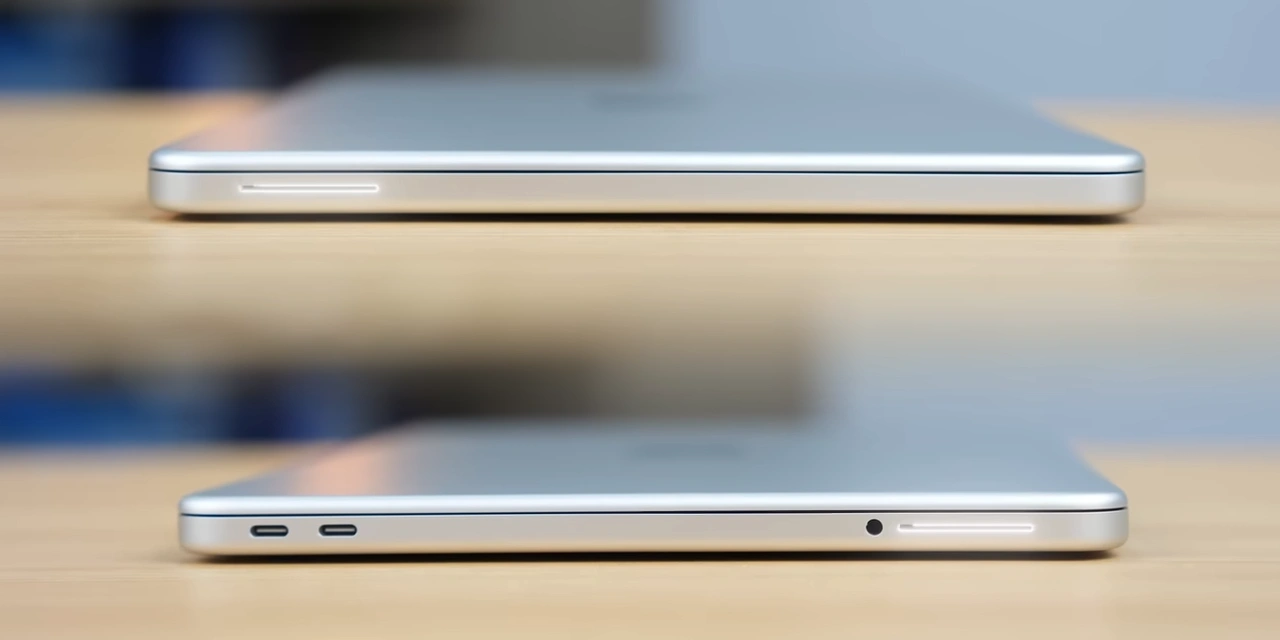
The aluminum chassis is where the MacBook Neo separates itself from every other $600 laptop on the market. There is zero keyboard deck flex, the lid opens with one finger thanks to a perfectly balanced hinge, and the overall feeling in hand is that of a machine that costs twice as much.
The 13-inch LCD display runs at roughly 1440p, 60Hz, with 500 nits of brightness — perfectly usable indoors. It is not a color-accurate display (it does not cover the full DCI-P3 color space), and it lacks the Promotion high-refresh-rate panels found on premium models. For most users, it is more than adequate. For serious creative work, an external display connected via USB-C is recommended.
The keyboard uses the same switches as the $3,000 MacBook Pro — the only omission is a backlight. The keys feature a slightly off-white tint to complement the chassis color. Upgrading to the 512GB model adds Touch ID to the top-right corner.
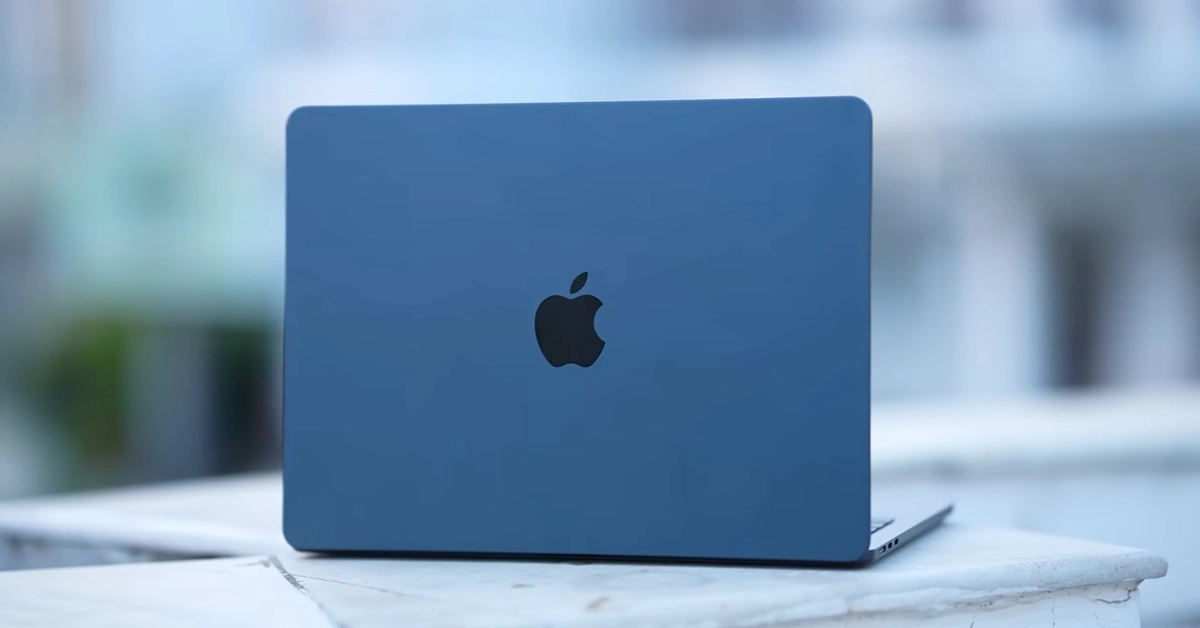
Apple also brings some fun to the design with three colors — Citrus (a vivid lemon-lime yellow), Blush (a soft pink), and Indigo. The accent color carries through to the software, desktop wallpaper, and even the rubber feet on the underside of the laptop.
Battery Life: Impressive Results from a Smaller Battery
Apple chose a smaller, cheaper lithium-ion battery instead of the larger lithium-polymer pack found in the MacBook Air. The A18 Pro chip is so power-efficient that the Neo still delivers nearly a full day of writing, browsing, video watching, and general light tasks on a single charge — only slightly behind the MacBook Air’s numbers.
The included 20W charger takes just over an hour to fully charge the laptop from zero. Plugging in a higher-wattage charger will speed this up. The combination of chip efficiency and reasonable battery capacity makes this a genuinely portable, all-day companion.
Who Should Buy the MacBook Neo? A Practical User Guide
Here is a straightforward breakdown of how the MacBook Neo performs for different types of users:
Students (school) College students Writers
A+ A A
Photographers Coders Video editors
B− B B-
Podcasters Casual users
B+ A+
Students and writers will find this laptop perfectly suited to their needs. The same keyboard as Apple’s most expensive MacBook Pro, great battery life, and reliable performance for documents, emails, and research make it an easy recommendation.
Photographers can edit in Pixelmator and Lightroom without issues, though Photoshop with heavy workflows may feel slower. Connecting to an external color-accurate display is recommended for professional photo editing.
Coders doing general development work will find it surprisingly capable. Running heavy local AI models or large build pipelines may push its limits, but everyday coding tasks work well.
Video editors can legitimately use Final Cut Pro for basic 4K edits — cutting footage, applying LUTs, and exporting — without major issues. However, demanding plugin-heavy timelines are where the laptop begins to struggle. For serious editing work, the M4 or M5 MacBook Air is the better investment.
MacBook Neo vs MacBook Air: Which One Should You Buy?
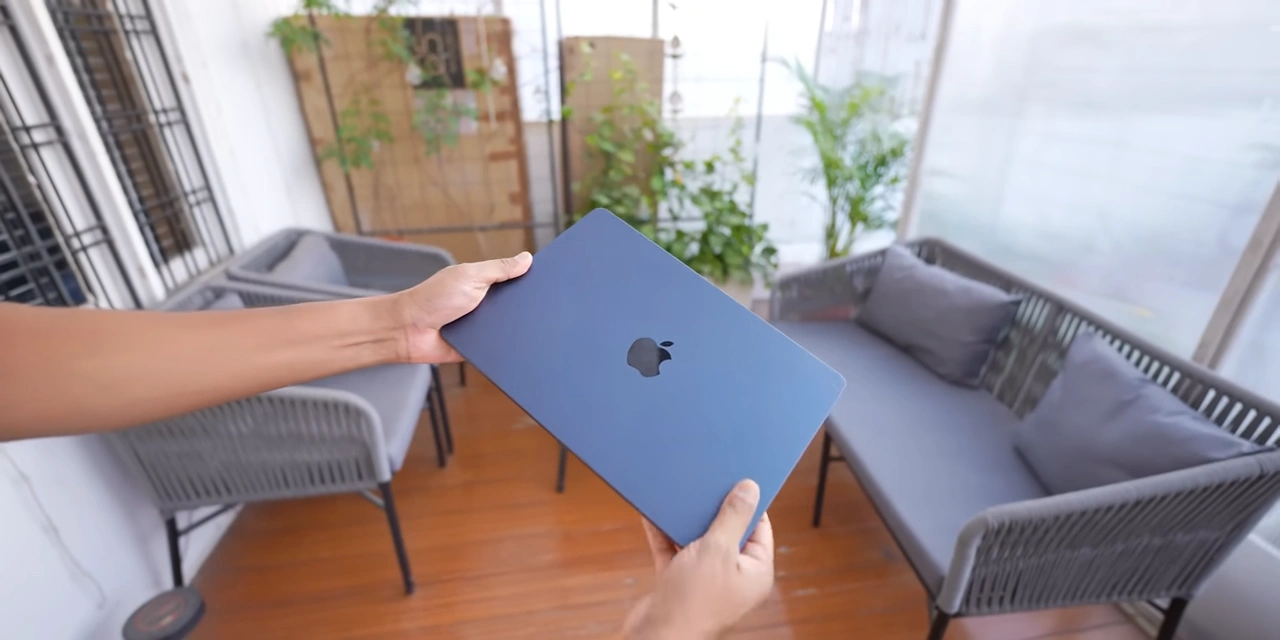
The MacBook Neo delivers roughly 90% of the MacBook Air experience at a significantly lower price. The key differences are: the Air has a better multi-core performance, a superior Liquid Retina display with full P3 color coverage, a backlit keyboard, MagSafe charging, more ports, and optional configurations with more RAM and storage.
If your budget is tight or you primarily do light work — browsing, writing, studying, casual media consumption — the MacBook Neo is the smarter purchase. If you regularly work with photos, video, or complex code, the extra investment in a MacBook Air will pay off.
|
|
What to Expect from the Next MacBook Neo
The current model’s most obvious limitations are the 8GB RAM ceiling and the missing keyboard backlight. The next iteration will likely feature the A19 Pro chip, which would bring 12GB of RAM as standard. An ambient light sensor for True Tone display adjustment and a backlit keyboard are also expected improvements. These additions would address the few remaining complaints about the current model and make it even more compelling.
The MacBook Neo is the easiest laptop recommendation Apple has ever made at the entry-level price point. It is exceptionally well-built, genuinely fast for everyday tasks, offers great battery life, and undercuts the MacBook Air by hundreds of dollars. For students, writers, and general users, it is the obvious choice in 2026.
Frequently Asked Questions (FAQ)
Is the MacBook Neo good for everyday use?
Yes. Web browsing, email, word processing, spreadsheets, video streaming, and video calls are all handled effortlessly. The A18 Pro chip is more than capable for everyday tasks.
Can the MacBook Neo edit 4K video?
It can handle basic 4K editing in Final Cut Pro — cutting clips, applying color grades, and exporting. However, plugin-heavy or complex timelines will slow it down. For frequent video editing, the MacBook Air M4 or M5 is a better choice.
Is 8GB of RAM enough on the MacBook Neo?
For most users, yes. Apple’s fast swap memory system, which uses the SSD as overflow RAM, means the machine handles multitasking well in practice. Power users who run heavy applications simultaneously may notice slowdowns over time.
Does the MacBook Neo have a backlit keyboard?
No, the base model does not include keyboard backlighting. The keyboard uses the same high-quality switches as Apple’s MacBook Pro lineup, but the backlight was removed as a cost-cutting measure.
How does the MacBook Neo compare to a Chromebook?
The MacBook Neo is significantly more powerful than most Chromebooks, runs full macOS software, and is built from aluminum rather than plastic. For a similar or slightly higher price, it offers far better long-term value, performance, and build quality.
What colors does the MacBook Neo come in?
The MacBook Neo is available in three colors: Citrus (a vivid yellow-green), Blush (soft pink), and Indigo (deep blue). Each color is carried through the software accents, wallpaper, and even the rubber feet on the base of the laptop.
Does the MacBook Neo support gaming?
The MacBook Neo is not designed for demanding gaming. The 60Hz display, limited RAM, and macOS software library make it unsuitable for titles like Counter-Strike or competitive games. Casual games at modest settings are playable.
What is the battery life on the MacBook Neo?
Battery life is excellent for an entry-level laptop. You can expect close to a full day of light-to-moderate use — writing, browsing, streaming, and emailing — on a single charge. The included 20W charger takes just over an hour to fully recharge it.